How to Add Users to the Breakfast Report
(and Enable/Disable It)
The Breakfast Report is a daily email that delivers the most important performance metrics straight to your inbox, including:
- Total Revenue
- Completed Conversions
- Entrances / Sessions
- Top Traffic Sources
Steps to Set Up the Breakfast Report
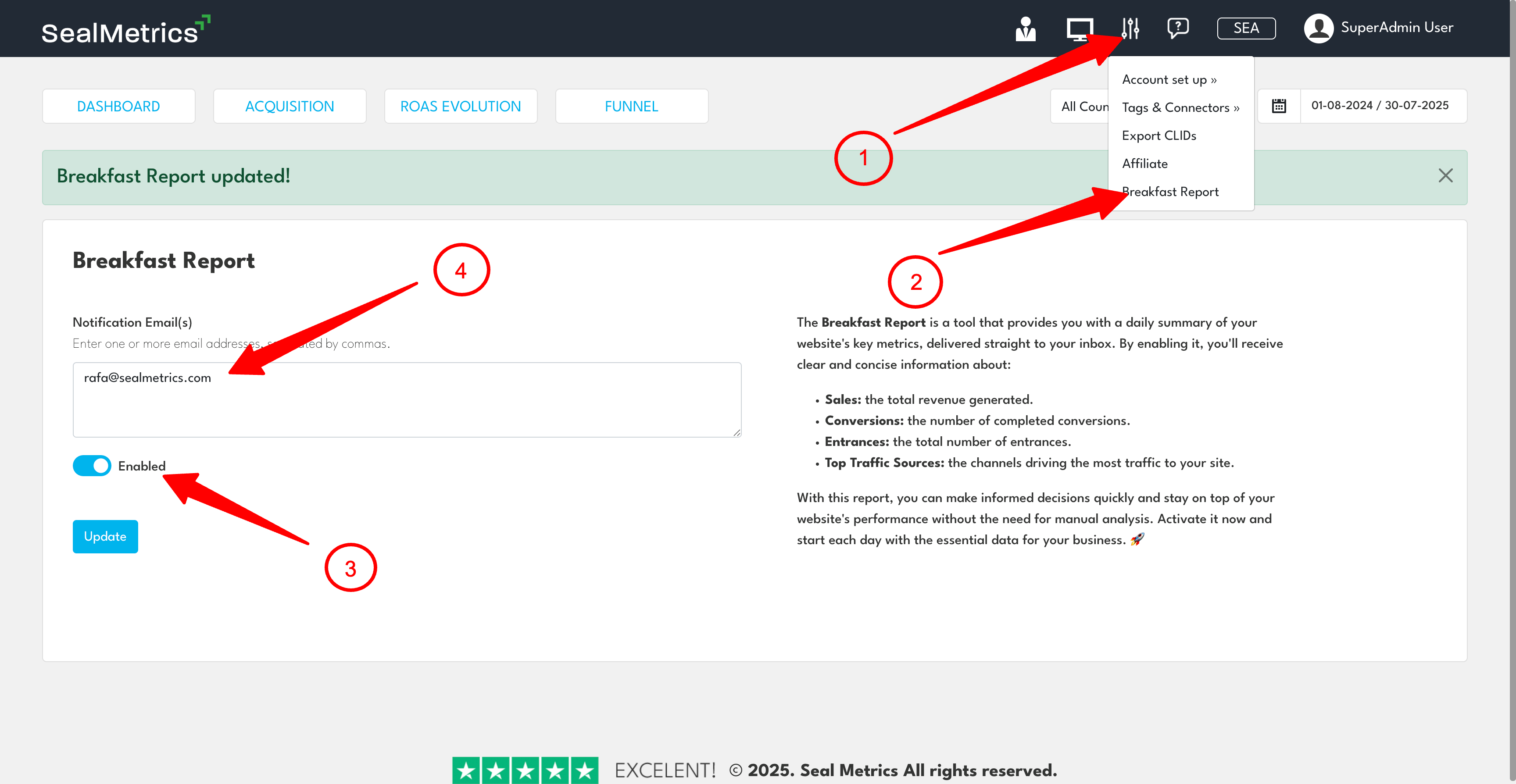
1. Go to Settings
Open your dashboard → click the gear icon → choose Breakfast Report.
2. Review What’s Included
A full description is shown on the right-hand side.
3. Enable or Disable
Use the toggle to turn the report On or Off.
4. Add Email Recipients
Add one or multiple email addresses separated by commas.
5. Save Your Changes
Click Update to apply settings.
Pro Tip
Add marketing, sales, and leadership teams—it keeps everyone aligned daily without needing to log in.