Using Subdomain Differentiation in URL Analytics
Sealmetrics allows you to analyze performance and user behavior across different subdomains of the same website. This is essential for businesses using structures like:
www.yoursite.com(main site)blog.yoursite.com(blog)app.yoursite.com(app or platform)- Additional country/product subdomains
Where to Find Subdomain Analytics
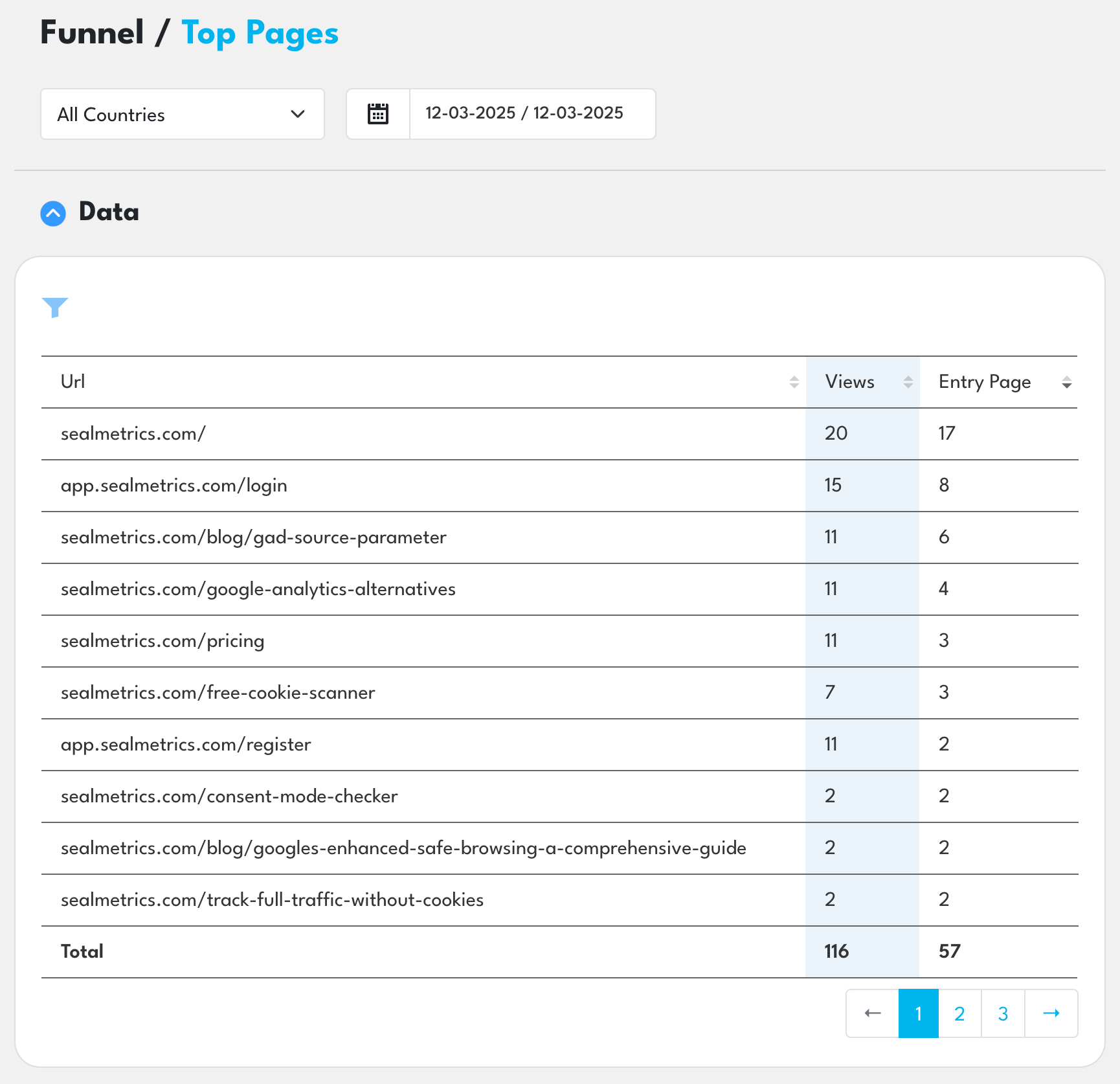
- Log in to Sealmetrics
- Open the Funnel section
- Click Top Pages
- Enable the Subdomain toggle
Dashboard Sections
1. Subdomain Overview
Shows traffic breakdown by subdomain:
- Total pageviews
- Traffic percentage
- Entrances
- Transitions
2. Cross-Subdomain Flow
Visualizes how users move between subdomains:
- Direction of movement
- Transition volume
- Drop-offs
- Bottlenecks
3. Top URLs by Subdomain
For each subdomain, Sealmetrics shows:
- Top entry pages
- High-traffic pages
- URLs sending traffic to other subdomains
- Conversion-related pages
Common Use Cases
Use Case 1 — Track Conversions Across Subdomains
For example, content lives on the main domain and purchases happen on a subdomain.
This helps identify:
- Where users drop off
- Which subdomain drives conversions
- Which steps create friction
Use Case 2 — Measure Content Performance
Track whether blog posts drive users to core product pages.
Use Case 3 — Education / Multi-Page Onboarding
Universities or SaaS onboarding flows spread across subdomains benefit from:
- Seeing how students/prospects move between subdomains
- Understanding which pages influence actions
Troubleshooting
No data for a specific subdomain?
Check:
- The same Sealmetrics tracker is installed
- No DNS settings block requests
- No CSP policy blocks tracking
Inconsistent data?
Ensure:
- All subdomains use the same protocol (HTTP or HTTPS)
- No external scripts interfere with the tracker
Subdomain differentiation gives you clear visibility into cross-property user journeys, helping you understand how users move across your entire digital environment.